WINDOWS 10/11 · GPU HEALTH KIT
Is your GPU good enough?
Know at a glance.

Works with NVIDIA · AMD · Intel GPUs
- 100% offline
- No account — just open it
- Zero data collection
FIVE TOOLS IN ONE KIT
Five ways to check your GPU — in plain language
Codenames, memory bandwidth and process nodes are for enthusiasts. You only need to know: is it real, what runs, and what's worth trying.
Buying a used GPU? Detect fakes and see its true tier instantly.
How do you check if a used graphics card is fake?
- See the model, VRAM and release year at a glance, with plain-language notes next to the technical specs
- Get a straight Entry / Mid-range / High-end tier, plus a rough "beats ~X% of PCs" benchmark
- Like GPU-Z, it compares measured specs with the built-in database — but fake or re-flashed cards are flagged in red in plain language, no BIOS knowledge needed
- Temperature and cooling health check with green / amber / red verdicts — run it before you accept a delivery
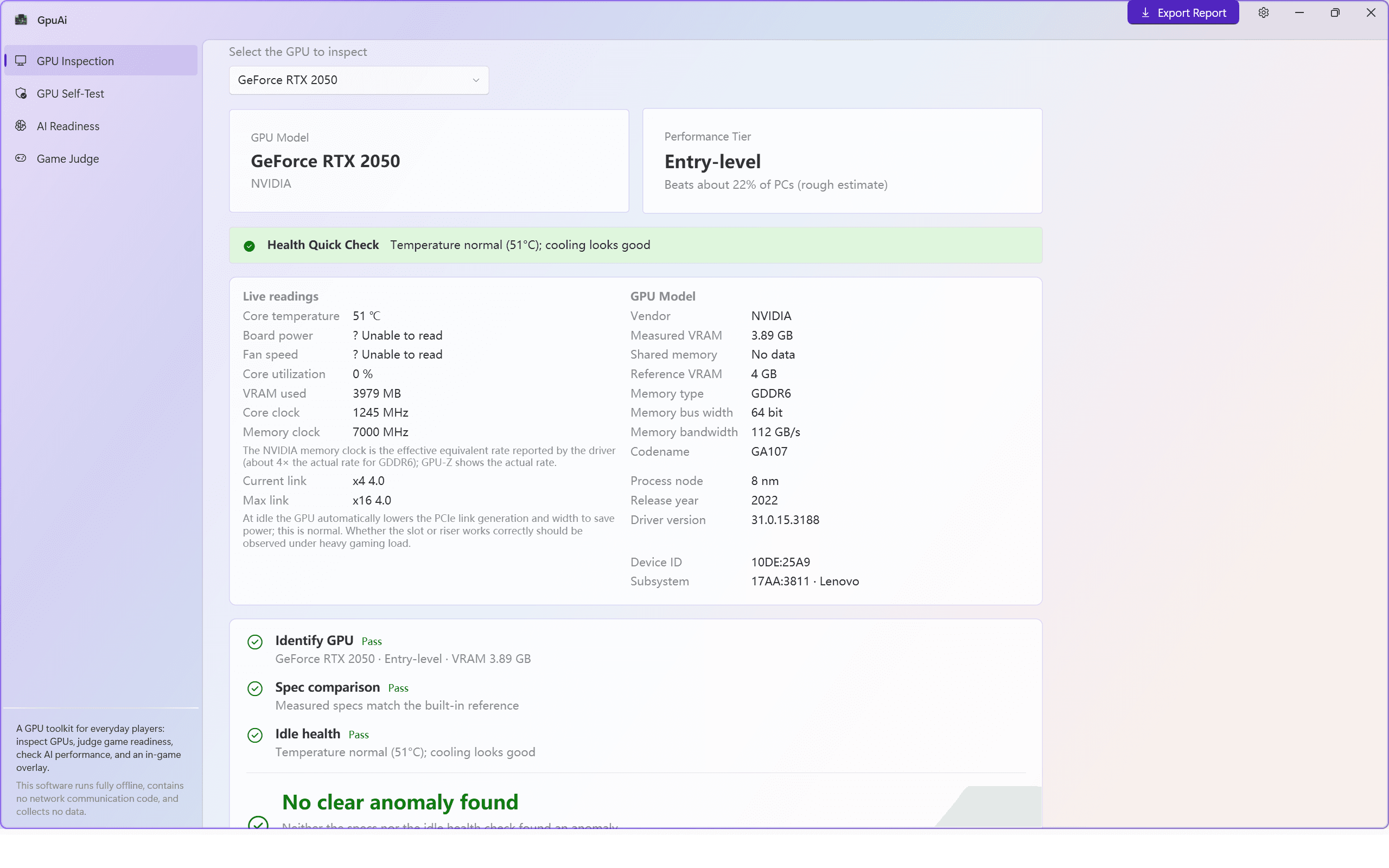
HEALTH QUICK CHECK
51°C, cooling normal
All three checks passed
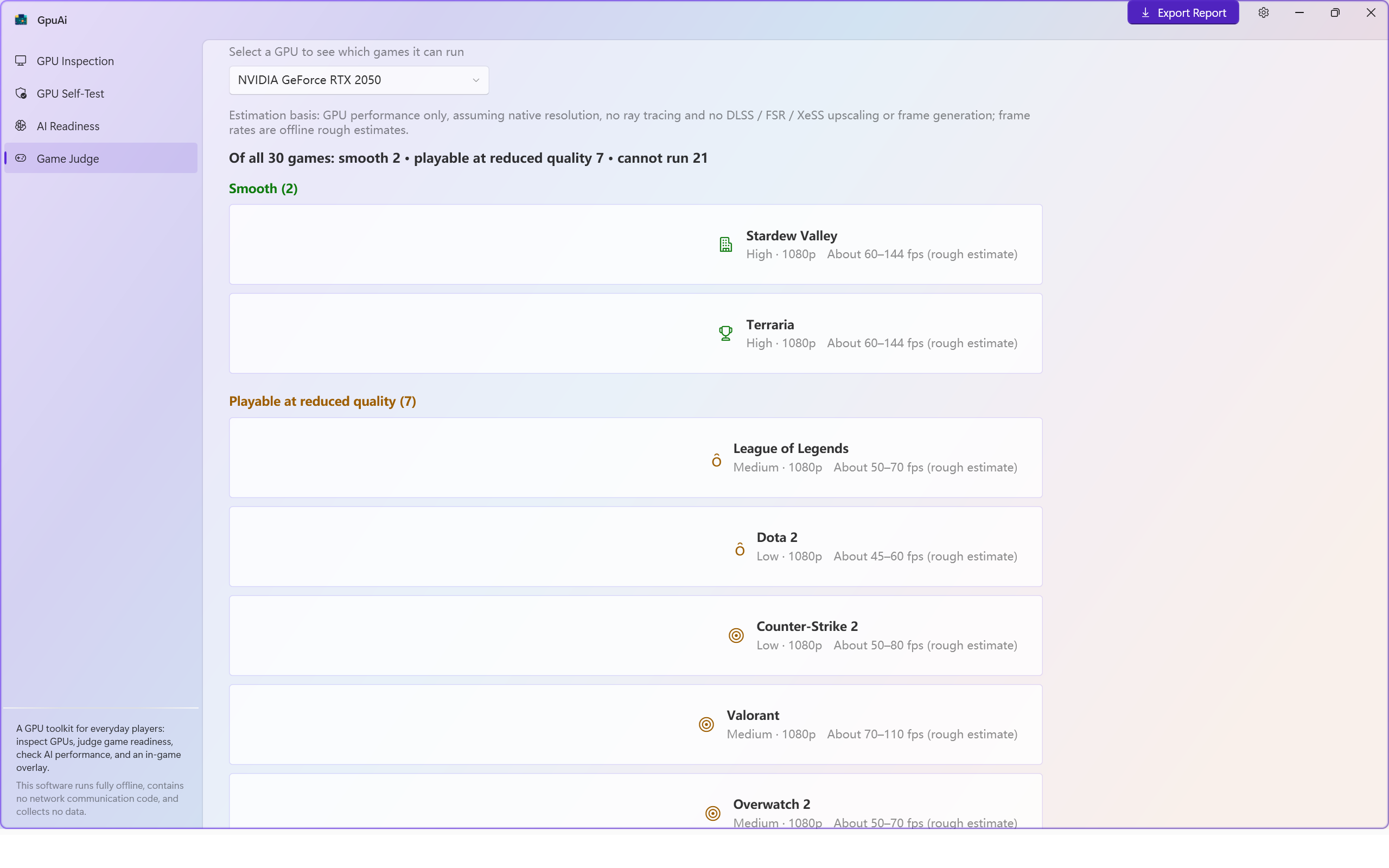
Can my PC run it? 30 popular games get a clear verdict
Will this game run on my PC before I buy it?
- Three verdicts per game: Smooth / Playable at reduced quality / Can't run
- Suggested settings and resolution included; frame rates are shown as ranges and clearly labeled rough estimates
- Covers evergreen titles like Counter-Strike 2, Valorant and Stardew Valley
- The game database ships with the installer — it works offline, with no game binaries or art assets included
Can your GPU run local AI? One readiness score, no math
Can my PC run local LLMs and Stable Diffusion?
- One overall score with three honest verdicts: Ready / Workable / Don't bother
- Separate answers for three everyday scenarios: AI chat, AI image generation, AI retouch & cutout
- If it won't run, we say so — "online AI services are the better fit" — saving you an hour of setup
- No need to understand VRAM, FLOPS or quantization; technical details stay folded away unless you want them
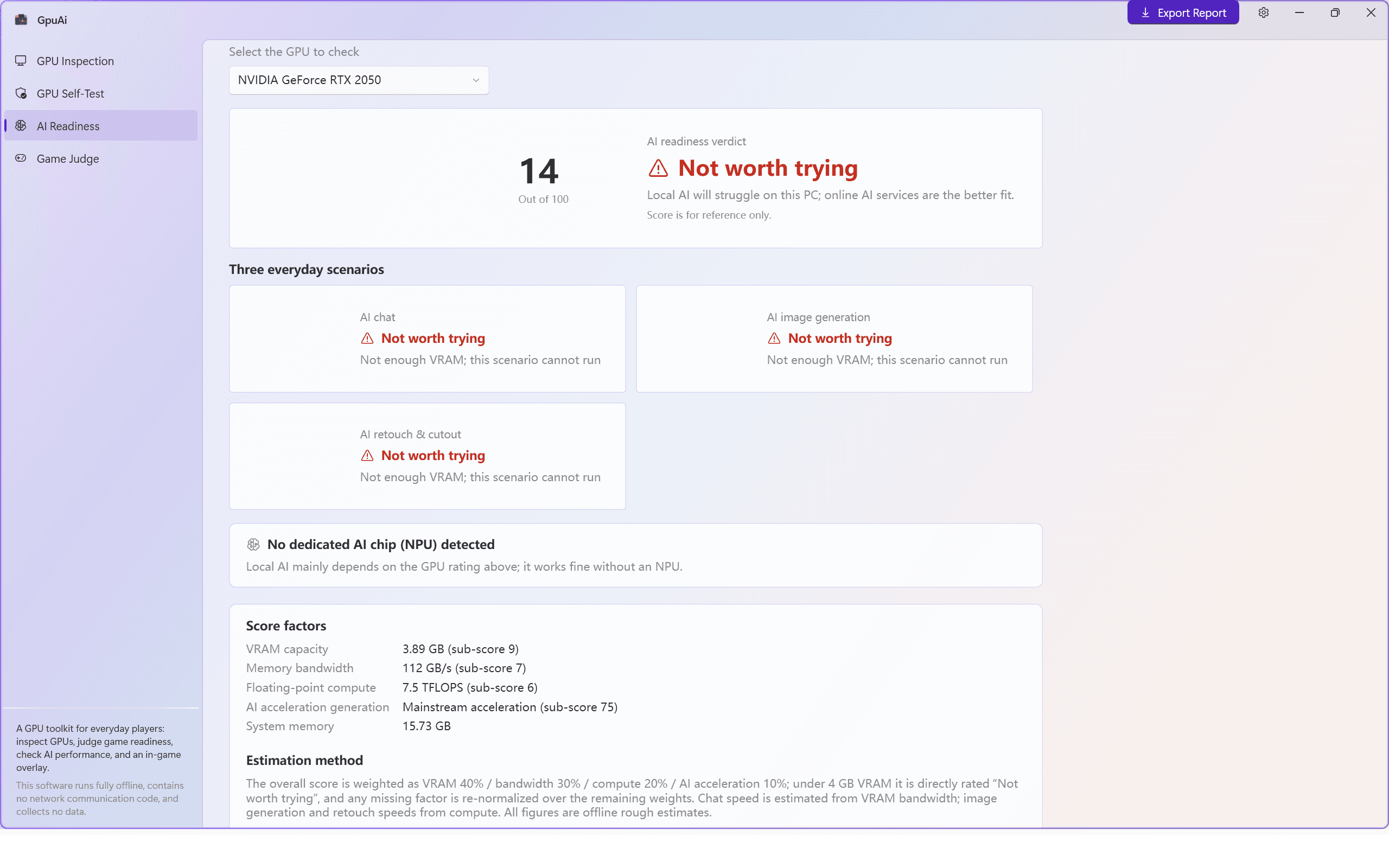
HONEST VERDICT
Even an old PC gets the truth
No upsells, no pressure to upgrade
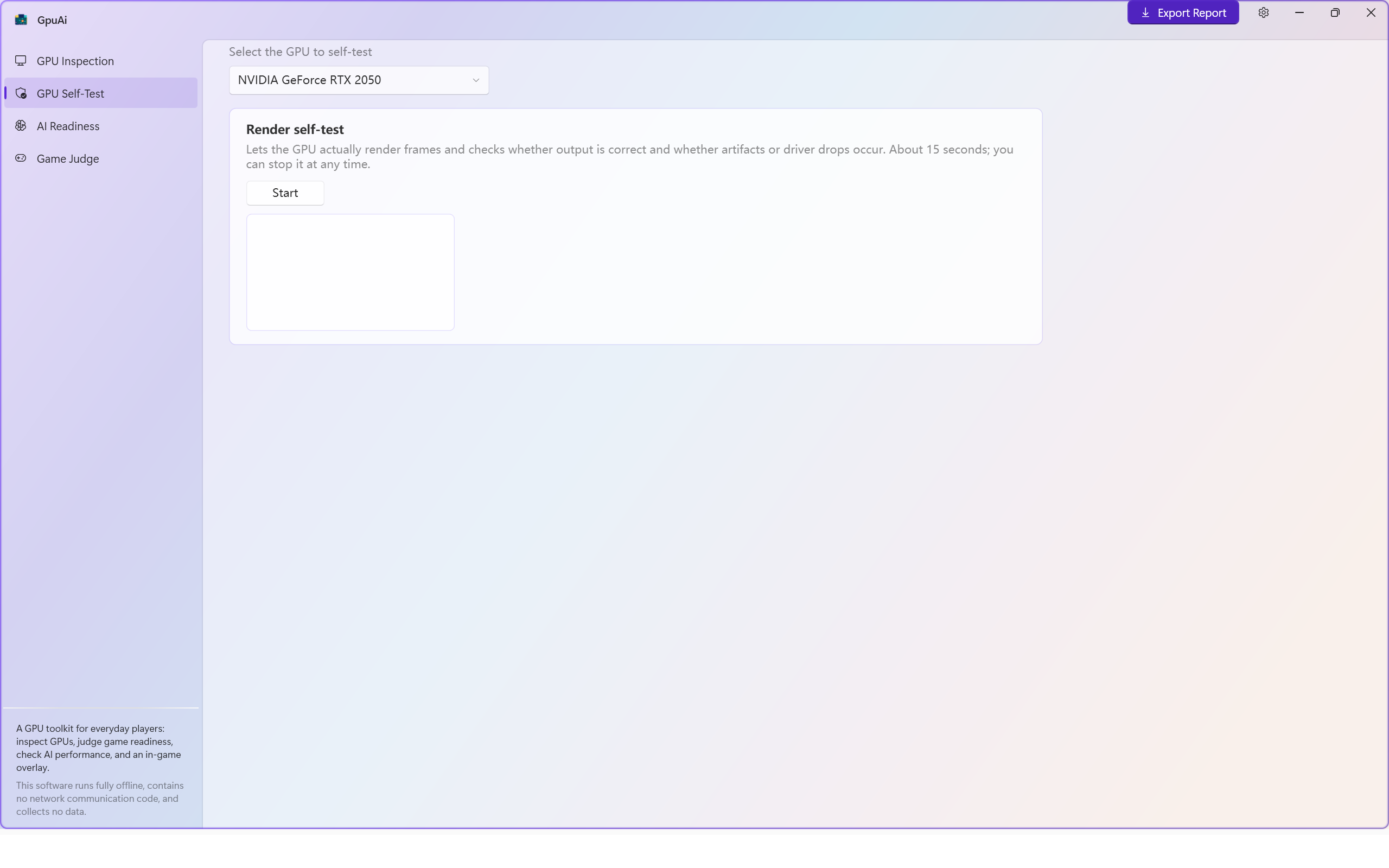
A 15-second GPU stress render: artifacts and driver drops can't hide
How do you test a used GPU for stability and artifacts?
- The GPU renders real frames while we check for output errors, visual artifacts and driver drops
- About 15 seconds to a verdict, and you can stop it at any time
- Read-only monitoring, never tuning: no overclocking, no voltage changes, no flashing, no system tweaks
- Pair it with inspection before accepting a used card — problems show up on the spot
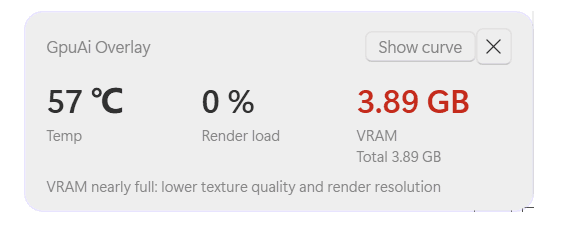
In-game GPU temperature overlay: one glance mid-match
How do you see GPU temperature while playing a game?
- A small always-on-top window with just three big numbers: temperature, GPU utilization and VRAM use
- Traffic-light colors: white for normal, amber for high, red for critical — no thresholds to memorize
- A plain top-most window that never steals focus or injects into the game; visible in windowed and borderless modes, auto-hidden in exclusive fullscreen
- Won't trigger anti-cheat false positives, with no stray buttons blocking the action
THREE STEPS · ZERO LEARNING CURVE
From install to answers in under three minutes
No wizard, no sign-up, no "connecting to server" screen — every GPU inspection and offline game-compatibility check works the moment it opens.
- 1
Install from the Microsoft Store
Distributed through the official channel with automatic updates and clean uninstallation — no random installers, no bundled extras.
- 2
It recognizes your GPU on open
No account, no internet needed. NVIDIA, AMD and Intel GPUs are detected automatically; everything is read locally.
- 3
Read four answers on one screen
Inspection, games, AI and self-test put the verdict first. Curious about the details? Expand the technical specs.
PRIVACY PROMISE
This offline GPU checker contains no network communication code. Your privacy is respected.
Fully offline
No cloud, no online checks — unplug the network and every test still runs.
No account
No sign-up, no login, no phone number or email required. Just open it.
Zero telemetry
No usage stats, no leaderboards, no device fingerprinting.
Read-only & safe
Monitoring only, never tuning — no overclocking, flashing, or game-process injection.
Test results stay on your PC. Export a report whenever you like, or delete them completely.
Give your GPU a full checkup in three minutes.
Whether you're building a PC, accepting a used card, or just wondering what your old machine can still handle — the answers are ready now.
Windows 10 / Windows 11Supports NVIDIA · AMD · IntelNo account · Ready on open